SocialMediaExport Desktop Guide
Install on Chrome, Edge or Firefox, then export pages, social data and media locally.
Last updated: 2026-11-20
SocialMediaExport is free and runs locally in your browser. Core collection and export do not require a product account. If a source platform requires sign-in, sign in directly on that platform first.
1. Download and install
Chrome, Edge and other Chromium browsers
Download SocialExport 0.1.0 for Chromium
- Download and extract the ZIP, keeping the entire extracted folder.
- Open
chrome://extensionsin Chrome oredge://extensionsin Edge. - Turn on Developer mode, select Load unpacked, and choose the folder that directly contains
manifest.json. - Find SocialExport in the browser's extensions menu and pin it to the toolbar.
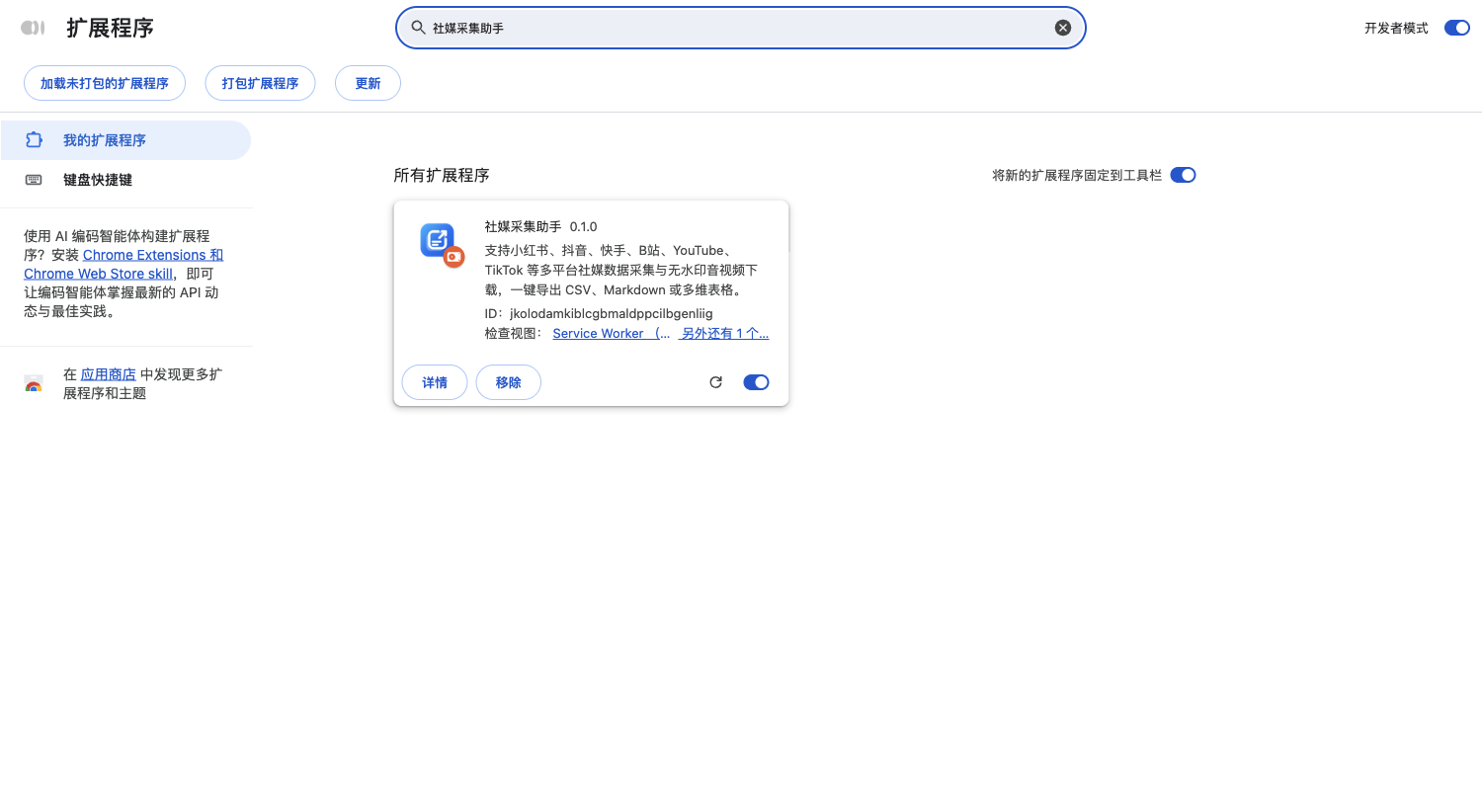
Actual SocialExport screenshot in a Chinese-language Chromium browser. Edge's labels and layout may differ.
Brave, Vivaldi and Arc can use the same Chromium package through their extension managers. Other Chromium browsers may restrict developer loading depending on their version. This package does not support Safari or mobile browsers.
Firefox
Download the SocialExport 0.1.0 Firefox test package
- Download and extract the Firefox ZIP.
- Open
about:debugging#/runtime/this-firefox. - Select Load Temporary Add-on and choose the extracted
manifest.json.
This is an unsigned test package, not a permanently installable Mozilla-signed store release. Temporary installation ends when Firefox restarts. Firefox supports clipping, data export and media processing; Chromium-only Google extension sign-in is unavailable and sidebar access depends on browser support.
2. Export your first page
- Open a page and wait for its content to load.
- Select the SocialExport toolbar icon and check the displayed page title and domain.
- Select Download Markdown.md for text or Export Markdown.zip for the document and available image assets.
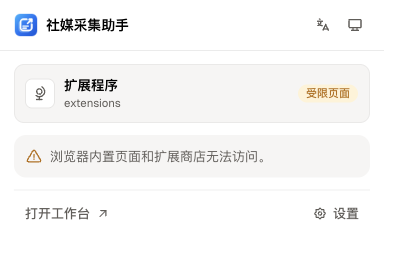
The demonstration page is our own website. Local export does not require a Feishu integration or a product account.
Grant image access only for sites you intend to save. Sign in on the original site if necessary; the extension does not bypass access restrictions.
3. Collect social data and media
- Open a supported post or creator profile.
- Open the extension and choose an available media, post, comment or creator action. Available actions vary by platform and page.
- Save the result locally or export CSV to open in a spreadsheet application.
Media extraction supports Xiaohongshu, Douyin, Kuaishou, Bilibili, TikTok, YouTube, X, Instagram and Pinterest. Availability depends on platform policies, page structure, session state and source quality. Verify one public item before starting a batch.
4. Optional Feishu / Lark sync
Sync is an intentional third-party transfer, not a prerequisite for local export. Configure your own Feishu / Lark app and destination Base in extension settings before syncing selected content.
Read the Feishu configuration guide
Troubleshooting
The browser cannot find the manifest
Select the directory containing manifest.json directly, not the ZIP or an extra parent directory.
The page is not recognized
Refresh the source page, check that it is supported and grant the required site permissions. Protected browser pages and extension stores cannot be clipped normally.
Images are missing or downloads fail
Check image permissions, your platform sign-in state and whether the media URL is still valid. Scroll to load images before retrying. Cross-origin and platform download restrictions can make individual assets unavailable.
Do I need an account or payment?
No. Core collection and local export are free and require no SocialMediaExport account. Optional third-party integrations require your own service configuration.